Editing the Translation Text
Once a translation is completely created, you can edit its text.
c When you open a subclip in the Transcript tab and edit the translation, you change the translation of the master clip.
c All edits you make to a translation will be overwritten if a re-translate job for the same translation is triggered.
You cannot edit speakers for a translation: The Add speaker, Rename speaker, Delete speaker and Assign segment to another speaker features are disabled when Translation mode is enabled in the Transcript tab. However, you can filter the segment display by speakers. The procedure on how to filter speakers is the same in Transcript and Translation mode. See Filtering Speakers.
Note the following limitations for text editing:
-
You can edit only one word at a time.
-
You cannot delete a word.
-
You cannot add and remove blank space between characters or words.
As a side effect, you cannot modify a word containing an apostrophe when the change would introduce a blank space. For example, changing "it's" to "it is" would be denied.
When you enter the Edit Mode while the asset is played back in the Media Viewer, playback will be stopped; the Synchronize Playhead feature is ignored even if the toggle is enabled.
To correct words in the
-
 Click the Edit Mode button so it turns blue.
 -
Scroll to the segment that contains text you want to modify.
-
Double-click the segment that contains the word you want to modify.
The cursor is positioned at the end of the segment; if required, the Translation area display scrolls to show the cursor position.
-
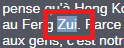
Double-click the word you want to modify.
The word is highlighted.
-
Type the new text.
-
Press Enter or click outside the field.
Your change is applied.
If your changes cannot be applied – because, for example, you added a blank space or deleted the word – the following message is shown on the right side of the Fast Bar. You can click the Try again link to repeat the update request. The message disappears after a few seconds.
