Searching in the Translation

If a translation includes a large number of segments, use the Find field to search for words in the translation segments.

For a translation, the results count shows you the number of segments in which the word is found, it does not show the number of found words.

Using the Find field navigation controls you can skip through the found segments; if Sync Playhead is enabled, skipping through the found segments also moves the playhead. See Navigating within the Translation.

Note the following:

  • Search is only applied to the text in the Transcript column. To filter the translation by speakers, use the Speaker filter. The procedure on how to filter speakers is the same in Transcript and Translation mode. See Filtering Speakers.

  • The Find feature interacts with the Speaker filter:

    • If you already applied a Speaker filter, search is run in the Transcript column of the filtered segments.

    • If you already used the Find field to search for words in the Transcript column, the search term, segment count and segment highlighting are cleared when you apply a Speaker filter.

To search in the translation:

  1. Select the translation which you want to view from the translation selection control.

  2. Click in the "Find" field and type the word you want for search for.

    Since a "contains" search will be applied you do not need to type the entire word. Searching for multiple words is not supported.

  3. Press Enter.

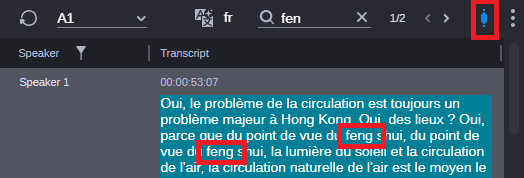
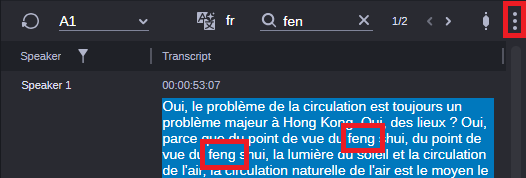
    All segments in the translation that contain your search term are highlighted in blue. The translation scrolls down to the first matching segment, and selects it.

    • If Sync Playhead is enabled, the selected segment is highlighted in green. In this case, also the playhead is moved to the corresponding position in the timeline.

    • If Sync Playhead is disabled, the segment in still highlighted in blue. In this case, the playhead is not moved in the timeline.

    The segment count to the right side of the Find field shows the number of matching segments in the form <selected segment>/<total number of found segments>.

  4. Navigate through the matching segments in the translation by clicking the Previous or Next button.

    For the first hit, the Previous button is disabled; when you reach the last hit, the Next button is disabled.

  5. To remove the search term and segment highlighting, click the X button in the Find field.